

In the fast-paced world of digital design, where first impressions often dictate success, how do we ensure that every visitor’s interaction with a website is as seamless as possible? As web designers and developers, we pour our creativity and technical expertise into crafting visually stunning and functional sites. Yet, even the most aesthetically pleasing designs can falter if they neglect one crucial aspect: usability. Have you ever launched a site only to find it doesn’t engage users as anticipated or struggles to convert visits into actions?
Welcome to the world of usability testing—a key player in unlocking the full potential of web design. Usability testing provides a systematic way to evaluate how real users interact with your site, highlighting roadblocks that the untrained eye might overlook. Imagine a user journey free from frustration and ambiguity, where navigation feels intuitive and content resonates seamlessly. But how do we achieve this ideal state? Which usability tactics are most instrumental in shedding light on user experience quagmires?
In this article, we embark on an investigative journey—demystifying the principles of usability testing to unveil actionable strategies that enhance your web design projects. We will explore tactics that not only align with current industry standards but also address common pain points faced by professionals who strive to create efficient and engaging online experiences. Whether you are refining an existing site or building one from scratch, understanding these usability insights could be the difference between ordinary outcomes and extraordinary results.
Join us as we dive deep into these strategies and answer some pressing questions about optimizing your web design through effective usability testing. Is your website truly working for its users, or are unseen barriers silently hindering its success? Let’s find out together.
Table of Contents
- Understanding the User Journey: Mapping Out Effective Testing Strategies
- Beyond First Impressions: Diving Deep into Interface Intuition
- Eliminating Frustration: Identifying and Resolving Pain Points
- Gathering Real Feedback: Techniques for Authentic User Engagement
- Analyzing Behavior: Making Sense of Quantitative and Qualitative Data
- Iterative Design Process: Implementing Insights for Continuous Improvement
- Accessibility Matters: Ensuring Inclusivity through Rigorous Testing
- To Conclude
Understanding the User Journey: Mapping Out Effective Testing Strategies
###
User journeys are a fundamental aspect of UX design that can significantly enhance usability testing by providing clear insights into user behavior. Mapping the user journey involves identifying key touch points, decision-making moments, and potential pain points — all crucial for designing focused [usability tests](https://www.nngroup.com/articles/usability-testing-101/). By understanding where users may encounter difficulties, designers can tailor usability tests to provide a clearer picture of how real users interact with different elements of a website.
For instance, consider the onboarding process for a new software application. Users often get frustrated if they are required to input excessive information before experiencing any value from the product. Through user journey mapping, you can pinpoint these frustration hotspots and develop tests that specifically evaluate these interactions. This approach not only streamlines your testing phase but also ensures each test is targeted toward maximizing user satisfaction and retention. This avoids the common pitfall of running broad, unfocused usability tests that often fail to provide actionable insights.
### Developing Test Scenarios with Precision
When creating your testing strategies, it’s essential to focus on specific scenarios based on user journey maps. Begin by breaking down the journey into smaller segments, allowing you to concentrate on individual stages of the user’s experience. For example, create separate scenarios for first-time visitors versus returning customers, as their interactions might differ significantly. During past projects, I incorporated this method to refine conversion funnels—identifying exactly where users were abandoning their carts and adjusting elements like navigation or call-to-action buttons accordingly.
Additionally, using a method like [click tracking](https://www.crazyegg.com/blog/heatmap-tools/) allows for detailed analysis of where users engage most on your page. With this data in hand, focus test scenarios on verifying assumptions about user behavior made during journey mapping by observing if users indeed follow predicted pathways or diverge unexpectedly. This systematic approach not only clarifies typical navigation patterns but also helps prioritize which design elements need refinement.
incorporating user journeys into usability testing strategies provides a roadmap for deeper comprehension of user experiences. By adopting precise scenario-based testing guided by well-charted user journeys, designers can ensure highly focused and effective usability evaluations that lead straight to enhanced design solutions driven by actual user behavior insights.
Beyond First Impressions: Diving Deep into Interface Intuition
Understanding User Intent: More Than Skin Deep
When delving into the nuances of interface intuition, it’s essential to comprehend user intent beyond surface appearances. While initial impressions can guide a user’s immediate reaction, true understanding arises from observing how users navigate more complex tasks over time. For instance, in past projects, I focused on [heuristic evaluation](https://www.nngroup.com/articles/ten-usability-heuristics/) to closely examine the alignment between user expectations and interface responses when conducting deeper usability tests. These insights often revealed surprising inconsistencies that could easily be overlooked if assessments remained too superficial.
To achieve such depth, you might start by employing task analysis—an approach where each possible user action is meticulously charted. This method not only identifies friction points but also unmasks hidden assumptions that may lead to user frustration. Consider using tools like UsabilityHub which offer a platform for detailed feedback collection on specific elements or scenarios, ensuring your design aligns with genuine user needs instead of assumptions.
The Role of Feedback Loops: Designing for Continuous Learning
Incorporating [feedback loops](https://uxdesign.cc/the-wisdom-of-feedback-loops-cc38f634e26a) within your design process turns interface interaction into an ongoing dialogue. Users need not only immediate reactions to their inputs but also long-term growth in understanding how to maximize the utility of an application. Beyond traditional error messages and confirmations, subtlety is key; consider employing progressive disclosure techniques which gradually reveal advanced features as users become more comfortable with basic functionalities.
Furthermore, interactive prototypes can serve as dynamic sandboxes for testing new interface approaches on a smaller scale before fully committing to an overhaul. In one particularly challenging project, I utilized iterative prototyping alongside regular user check-ins to refine a digital pain point that had persisted for months. By enabling this form of continuous learning directly into the product lifecycle, designers can ensure adaptability and real-time relevance for their users’ evolving needs.
Empathy-Driven Design: Bridging Gaps Between Users and Interfaces
Intuitive interfaces stem from deeply empathic design choices that reflect the needs and desires of end-users rather than internal preferences. A powerful tool I’ve employed is creating detailed [user personas](https://www.toptal.com/designers/user-research/creating-user-personas) based on actual data collected from usability sessions. Not surprisingly, these personas help uncover diverse user perspectives and motivational drivers that typical demographic-based segments might omit.
By truly listening to users through direct interviews or setting up participatory design sessions where they contribute directly to ideating solutions, designers make critical headway in crafting empathetic experiences that resonate at a personal level. As Steve Jobs once aptly put it, “Design is not just what it looks like and feels like. Design is how it works.” Therefore, leveraging empathy not only simplifies navigation but also fosters trust—a pivotal aspect in sustaining long-term engagement with any web interface.
Eliminating Frustration: Identifying and Resolving Pain Points
###
In the realm of **web design**, eliminating user frustration is paramount. Pain points often make or break the overall user experience and can range from [slow-loading pages](https://matchboxdesigngroup.com/blog/why-is-web-design-hard/) to complex navigation pathways. To effectively identify these issues, start by conducting thorough **usability testing** with real users who reflect your target audience. Tools like UserTesting and Hotjar can provide valuable insights into how users interact with your site, highlighting where they stumble or hesitate.
#### Understanding User Behavior
A key method for uncovering pain points is through think-aloud sessions during **usability tests**. Encourage participants to verbalize their thoughts as they navigate through your website. This reveals immediate, honest feedback, providing direct insight into what might be frustrating them. I recall applying this technique in a previous project where we identified a critical issue—users repeatedly struggled with a dropdown menu that wasn’t intuitive. By observing this behavior firsthand, we redesigned the menu to be more accessible, which resulted in a significant increase in user satisfaction.
#### Prioritizing Issues
Once you’ve identified pain points, it’s crucial to prioritize fixing those that impact user experience most adversely. Create a list and categorize these based on factors such as frequency of occurrence and severity of impact on user tasks. For example:
– **High Frequency & High Impact**: Fix immediately.
– **Low Frequency & High Impact**: Plan strategically.
- **High Frequency & Low Impact**: Tweak for incremental improvements.
– **Low Frequency & Low Impact**: Monitor for now.
Consider the importance of each area within the context of your specific business goals and user expectations.
#### Implementing Solutions
Implementing solutions requires an iterative approach. Once changes are made based on test findings, conduct additional rounds of testing to ensure those fixes have resolved the issues without creating new ones. For example, when simplifying navigation paths improved engagement for one client’s site, it was crucial to verify these changes enhanced rather than hindered functionality across different devices.
Through intentional application of usability testing techniques tailored to uncover root causes of frustration, websites can transform confusing or slow features into seamless experiences that delight users rather than deter them. Notably, consistent evaluation using defined metrics like bounce rates and conversion rates can corroborate improvements post-intervention, ensuring sustained success in offering a journalistically delightful web experience.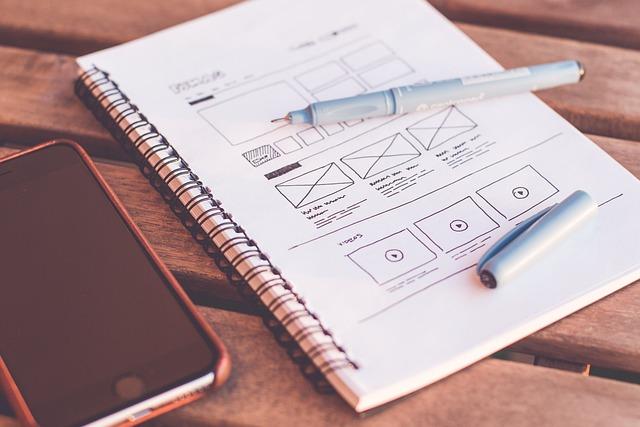
Gathering Real Feedback: Techniques for Authentic User Engagement
### Techniques for Authentic User Engagement
**Engaging Users Through Contextual Inquiry**
To truly gather authentic user feedback, consider employing [contextual inquiry](https://www.nngroup.com/articles/contextual-inquiry/), which demands observing users in their natural environment instead of a controlled setting. This approach allows designers to see behaviors, motivations, and pain points that might not surface in a typical lab-based usability test. For instance, when testing an e-commerce website, conducting tests while users are shopping from home could reveal insights into distractions that occur during real-world usage.
To implement this technique effectively:
– **Plan Sessions Wisely:** Schedule sessions at times when users naturally engage with your product.
– **Observe and Ask:** While observing, ask open-ended questions to understand the ‘why’ behind user actions.
– **Note Context:** Document environmental factors that could affect task performance—ranging from distractions to devices used.
By integrating this method into previous projects, I’ve unearthed hidden friction points within mobile interfaces that traditional usability tests had missed—leading to significant improvements in overall user satisfaction.
**Leveraging Rapid Feedback Loops**
Another vital technique to enhance genuine user engagement is the creation of rapid feedback loops. These allow you to gather and act upon user input quickly. This is particularly useful for iterative design processes where staying agile can drive success. As recommended by Trymata’s strategy on [usability testing](https://trymata.com/learn/usability-testing-strategies/), setting up kiosks in public areas or quicker online feedback forms can bridge the gap between what developers create and what users need.
For rapid implementation:
– **Quick Surveys:** Develop concise surveys after each interaction with key questions about their experience.
– **Immediate Adjustments:** Make small design tweaks based on instant feedback and observe changes over consecutive sessions.
– **Frequent Check-ins:** Regularly touch base with a diverse range of users to ensure varied perspectives are captured.
Incorporating this into my past work has allowed swift adaptations aligned with shifting user expectations, thereby minimizing costly redesigns down the line and reinforcing a user-centric design philosophy.
These techniques not only facilitate deeper understanding but foster a culture where users feel valued as integral contributors to the design process. After all, in the words of Steve Jobs: “Design is not just what it looks like and feels like. Design is how it works.”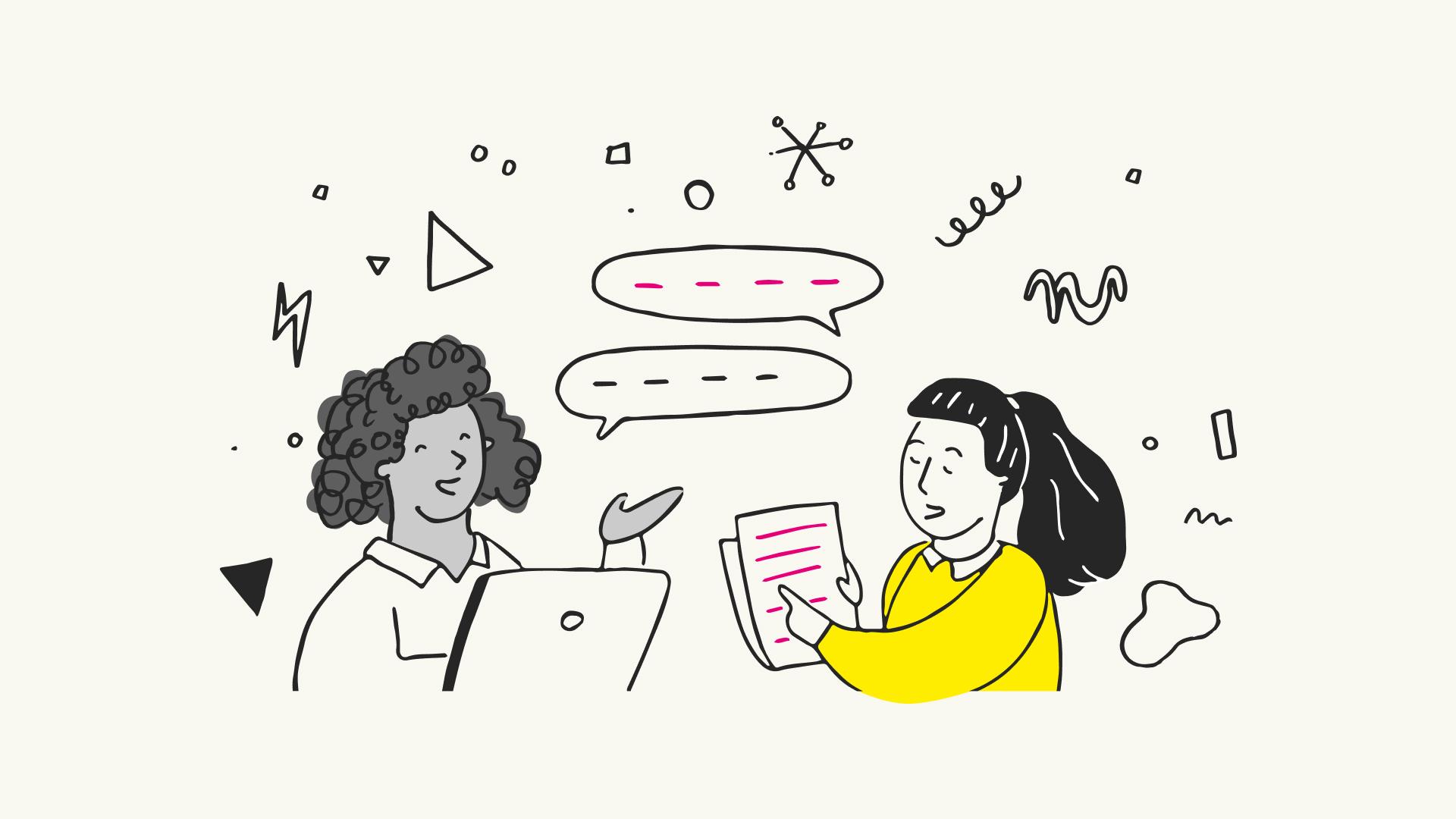
Analyzing Behavior: Making Sense of Quantitative and Qualitative Data
##
When navigating the intricacies of web design, understanding user behavior is critical. Implementing both quantitative and qualitative data analysis provides a robust framework for evaluating usability testing results. Whereas [quantitative methods](https://www.convert.com/blog/growth-marketing/qualitative-data-quantitative-data/) offer numerical insights that reveal patterns, such as click-through rates and task completion times, qualitative approaches delve into the human elements by uncovering user emotions and motivations. This combination enables you to address not just the “what” but also the “why” behind user actions.
In past projects, I’ve leveraged techniques like A/B testing and in-depth interviews to achieve a deeper understanding of user interactions. Using quantitative data, I identified key areas where users struggled with navigation, which prompted me to adjust the layout for improved accessibility. However, it was only after conducting [qualitative interviews](https://www.nngroup.com/articles/which-ux-research-methods/) that I realized the true impact of these design changes from the user’s perspective—many felt more confident and satisfied using the site.
### Step-by-Step Approach
1. **Define Your Objectives**: Begin by clearly articulating what you aim to discover or solve in your web design project. Are you looking to increase conversions? Improve user satisfaction? Knowing your end goals helps in selecting appropriate research methods.
2. **Collect Quantitative Data**: Leverage tools like Google Analytics to gather hard numbers about how users interact with your site. Look for trends in bounce rates, time on page, and conversion metrics.
3. **Conduct Qualitative Research**: Use techniques such as user interviews or focus groups to gather feedback on specific design elements. Questions should be open-ended to encourage participants to express their honest thoughts and feelings.
4. **Synthesize Data Insights**: Once you’ve collected both types of data, integrate them into a comprehensive view. For instance, if quantitative data shows high dropout rates on a particular page but qualitative feedback highlights confusing language, consider revising content clarity.
Using these steps ensures a balanced evaluation that recognizes statistical realities while giving voice to individual user experiences. A mix of quantitative rigor and qualitative nuance will lead to more effective web design decisions. As famed usability expert Jakob Nielsen says, “Pay attention to what users do, not what they say,” yet integrating both approaches ensures you’re not missing vital contextual insights that could revolutionize your design strategy.
### Real-Life Example
In one real-world scenario working with an e-commerce website redesign, combining these analyses significantly improved our checkout process. We noticed quantitatively significant cart abandonment at the final payment step; however, without qualitative insights explaining why cohorts hesitated there, we couldn’t resolve it efficiently. Open-ended survey questions revealed security concerns due to an URL mismatch at checkout—transitioning between secure (HTTPS) and non-secure (HTTP) pages made users wary about sharing their information. Addressing this not only reduced abandonment by 40% but significantly lifted trust scores among fresh site visitors.
By synthesizing insights gleaned from numbers and narratives you can unravel underlying behavioral dynamics—transforming mere data into decisive action plans tailored meticulously around your users’ needs. Such practices ultimately bridge perceptual gaps between designer intentions and genuine user experiences resulting in compelling digital environments where usability thrives.
Iterative Design Process: Implementing Insights for Continuous Improvement
Understanding the Iterative Design Process
The iterative design process is akin to a dynamic conversation with your users, where feedback loops become allies in refining your web designs. This approach involves cycling through phases of prototyping, testing, and making adjustments, ensuring that continuous improvement becomes second nature. Unlike more static methods, iterative design thrives on agility and flexibility, allowing for swift adaptations to evolving user needs. In fact, it’s been said that “design is not just what it looks like and feels like. Design is how it works.” With this mindset, you can see each user interaction as an opportunity for enhancement.
From personal experience in previous projects, employing **iterative design** was instrumental in cutting down redesign timelines by nearly 30%. For instance, early mockup tests revealed unforeseen navigation issues that could be promptly rectified before development proceeded. Without iterative insights, such inefficiencies might have remained buried until post-launch corrections. Indeed, iterative design has saved countless projects from going off the rails!
Steps to Implementing Continuous Improvement
1. **Prototype Rapidly**: Start with low-fidelity drafts or wireframes to test ideas swiftly without committing excessive resources. Use tools like [Figma](https://www.figma.com) or [Sketch](https://www.sketch.com) for interactive designs that allow seamless iteration.
2. **Conduct Usability Testing**: Engage real users early on and collect qualitative data through A/B testing or card sorting methods. Remember that each piece of feedback is not a mere suggestion but a gift—guiding you towards better user alignment.
3. **Analyze & Adjust**: After testing sessions, gather insights to pinpoint pain points and successful elements alike. Dive deep into analytics to validate user behaviors observed during tests.
4. **Implement Changes**: Apply the changes iteratively in manageable chunks rather than massive overhauls to maintain progress flow without overwhelming dev teams or stakeholders.
Interestingly, research highlights that engaging in parallel design processes—developing simultaneous alternatives—can surface hidden creative potentials overlooked by single-path approaches ([source](https://www.nngroup.com/articles/parallel-and-iterative-design)). Integrate these techniques into your web design strategy not just as solutions but as opportunities to forge deeper connections between user expectations and digital experiences.
Whether you’re reworking an existing interface or launching anew from scratch, iterative design empowers you to root out usability concerns efficiently. By echoing my own project successes through leveraging these methodologies, I can attest that what seems like tedious re-evaluation can indeed transform into invaluable growth prospects for any web designer committed to excellence.
Accessibility Matters: Ensuring Inclusivity through Rigorous Testing
###
Accessibility is not just a technical requirement; it’s an essential aspect of web design that ensures every user can access and enjoy your website’s content. But how do we ensure inclusivity without ever alienating users? Rigorous testing, grounded in solid principles and user-centric strategies, is the answer.
#### Testing with Real-World Scenarios
One effective method is to incorporate accessibility testing into real-world scenarios. This means going beyond automated tools, which can often miss context-specific issues, such as whether images have descriptive “alt” texts that convey the right meaning for visually impaired users. To achieve this, you can conduct **usability testing sessions** involving users with different disabilities. Encourage participants to explore your site using various assistive technologies like screen readers and voice recognition software. This approach not only helps identify barriers but also offers invaluable insights into how different users interact with digital content.
For example, when I worked on a recent project for a community service website, I implemented rigorous case study-based testing drawn from personal interactions between users and content. This allowed our team to address nuanced issues such as proper navigation order and readable color contrasts, ensuring everyone had equal access.
#### Step-by-Step Instructions: Implementing Test Cases
Creating detailed test cases for accessibility checks can pinpoint areas of improvement that might otherwise go unnoticed. Begin by listing all user actions on your website and mapping them against potential barriers a user might encounter. For instance:
1. **Navigation Tests:** Ensure the entire site can be navigated using only a keyboard. This is crucial for users who cannot operate a mouse.
2. **Visual Checks:** Check color contrast ratios to confirm they meet the [Web Content Accessibility Guidelines (WCAG)](https://www.w3.org/WAI/standards-guidelines/wcag/) criteria.
3. **Content Reviews:** Verify all multimedia has appropriate text alternatives, making your content accessible to screen readers.
4. **Feedback Loops:** Encourage feedback from test participants about their [user experience](https://www.nngroup.com/articles/usability-101-introduction-to-usability/)—and act upon it swiftly.
By systematically addressing each area, you’re not just fixing problems but cultivating an inclusive environment where all users feel acknowledged.
#### Evaluating and Iterating
After conducting initial tests, it’s important to evaluate results meticulously. Look for patterns in user feedback and test outcomes that suggest systemic issues, such as complex layout hierarchies or inaccessible interactive elements like forms or buttons.
“We must avoid treating accessibility as merely a checkbox on our development list,” reminds accessibility advocate Piccia Neri in her [LinkedIn discussion](https://www.linkedin.com/posts/piccia-neri_a11y-dontbeadick-goodkarma-activity-7198631349572788225-tfK3). Instead, make it an ongoing commitment—ensure regular updates incorporate fresh insights from continuous testing cycles.
Ultimately, incorporating accessibility through rigorous testing not only aligns with ethical considerations but broadens your audience by improving usability for all visitors. Make inclusivity an integral part of your web design strategy today by implementing these thorough testing practices with dedication and perseverance.
To Conclude
As we conclude our exploration into the world of web design and usability testing tactics, it’s clear that the journey towards crafting user-friendly digital experiences is both intricate and rewarding. We’ve delved into practical methods, like paper prototyping, highlighted by experts as a cost-effective way to detect and rectify usability issues early in the design process—a tactic that promises significant savings in both time and resources ([3]).
Insights from thriving projects like Flutracking emphasize the power of incorporating user-centered design principles to enhance engagement and functionality ([2]). This not only underscores the necessity of keeping users at the forefront but also demonstrates how fundamental usability testing can be in transforming ideas into impactful digital realities.
Our discussion has revealed that while sophisticated tools and methodologies abound, sometimes simplicity holds unparalleled value. Techniques from basic UX principles to clean designs are instrumental in building platforms that resonate with users and achieve their intended outcomes ([1]).
In our fast-evolving digital landscape, staying curious and open to evolving strategies remains vital. As we continue to unravel new layers of usability in web design, let’s remain committed to refining our practices—encouraging continual learning and adaptation. In doing so, we unlock endless possibilities for designing intuitive, engaging, and accessible online experiences.
Whether you’re embarking on creating the next breakthrough platform or enhancing an existing one, remember: every element of careful testing opens a new door toward excellence. Keep experimenting, keep questioning—and unlock the full potential of your web design endeavors.

