

In the fast-paced world of digital product design, understanding and empathizing with users is no longer optional—it’s imperative. Have you ever launched a product, convinced of its brilliance, only to find it met with confusion or frustration by your users? You’re not alone. Navigating the intricacies of user expectations and behaviors can seem daunting, but that’s where usability testing steps in as your crucial ally.
Imagine being able to see your product through the eyes of those who will use it daily. Usability testing grants you this perspective, revealing insights that have the potential to transform your product from just functional to exceptional. But why is it that despite our best intentions, some products still fail to resonate with their audience? Could it be that we often overlook or misunderstand what truly defines a smooth user experience?
This comprehensive guide is designed to demystify usability testing, offering actionable insights and step-by-step strategies to bridge the gap between design intentions and user realities. Together, we’ll explore techniques for gathering valuable feedback and delve into methodologies that prevent costly missteps down the line. Are you ready to enhance your design process and elevate your product’s user experience?
Join us as we embark on this journey to mastering usability testing—a critical component in crafting products that not only meet but exceed user expectations. Whether you’re new to the field or seeking to refine your approach, this guide aims to equip you with the knowledge and tools necessary for meaningful testing outcomes. Let’s tackle these challenges together and unleash the full potential of your designs.
Table of Contents
- Understanding the User: The Heartbeat of Usability Testing
- Crafting Effective Test Scenarios: A Roadmap for Real-World Insights
- Choosing the Right Tools: Navigating the Testing Toolkit Maze
- Recruiting Participants: Strategies for Finding Your Perfect Test Group
- Conducting the Test: Techniques for Facilitating Authentic User Feedback
- Analyzing Results: Turning User Data into Actionable Improvements
- Iterative Testing: Embracing Continuous Enhancement through Feedback
- To Conclude
Understanding the User: The Heartbeat of Usability Testing
###
A profound understanding of your user is not merely a checkbox in the usability testing process—it is its very essence. Fundamentally, usability testing revolves around dissecting user behaviors, goals, and motivations to create an intuitive experience. Colossal insights often stem from this deep dive into the user psyche, providing revelations that can pivot the design direction significantly. In my previous projects, embracing techniques like [contextual inquiry](https://www.nngroup.com/articles/contextual-inquiry/) fundamentally shifted our approach to design thinking by capturing user interactions in their natural habitat.
#### Empathy as a Design Tool
When you embark on the journey of usability testing, entering with empathy is crucial. Assemble small but diverse groups representative of your target audience. For instance, if you are redesigning a banking app used by both tech-savvy millennials and more traditional older customers, capture this diversity right in your test subjects. Ensure tasks are relevant to their everyday use; for example, making a money transfer should be simple yet secure enough for all users.
Using a **think-aloud protocol** can unravel myriad hidden emotions behind actions—why a button placement feels awkward or why confusion lingers over menu navigation. For one project, I employed this method along with [heuristic evaluations](https://www.interaction-design.org/literature/article/10-usability-heuristics-for-user-interface-design) to meticulously overlap expert analysis with raw user feedback. This union uncovered subtle pain points—like misunderstood iconography—that were rectified early in the design phase.
#### Iteration Through User-Centric Insights
Moreover, incorporating iterative cycles based on findings ensures that users see progressive enhancements reflecting feedback application. Establish an environment that encourages openness—users should feel like co-creators rather than mere testers. As changes occur, craft scenarios demonstrating these improvements clearly during follow-up sessions.
Lastly, never underestimate collective intelligence arising from usability tests. It’s not just about identifying what works or doesn’t; it’s about garnering narratives that shape superior products. Often, those “aha” moments emerge from seemingly insignificant comments—a text too dim or an animation too fast—elements which conjure the magic of usability when harmonized perfectly through rigorous exploration and mindful execution.
Insights gleaned focus decision-making and steer strategic advances aligning directly with envisioned user experiences. Thus unified understanding becomes irreplaceable—the heartbeat drawing life into unforgettable digital journeys effortlessly blending function with delight.
Crafting Effective Test Scenarios: A Roadmap for Real-World Insights

###
Creating effective test scenarios is the keystone to unearthing real-world insights during usability testing. However, many of us have faced the frustration of test sessions where participants struggle to engage with tasks that feel artificial or overly complex. One key solution lies in designing scenarios that are not only realistic but also propelling users toward meaningful action without overtly guiding them to the ”correct” path. As [Nielsen Norman Group](https://www.nngroup.com/articles/task-scenarios-usability-testing/) notes, it’s vital to craft task scenarios that encourage exploration and mimic actual user circumstances.
Understanding your target audience’s needs is crucial—consider compiling demographic data and revisiting personas. For instance, during a recent project assessing a home budgeting app, I integrated tasks based on common financial behaviors like monitoring expenses over the holiday season. This approach not only motivated participants with authentic tasks but also spotlighted areas for product enhancement that were previously overlooked. Moreover, when random participants navigated through genuine financial management scenarios, we observed more engaged interactions and received invaluable feedback.
#### Step-by-Step Development of Test Scenarios
1. **Identify Core Tasks**: Start by listing core functionalities your application supports. Engage with marketing and customer support teams to gather recurring user queries or complaints.
2. **Create User Stories**: Translate these functionalities into user stories—a narrative that delineates how a particular feature benefits a user scenario. For example, “As a user managing monthly grocery purchases, I’d like to efficiently categorize each transaction.”
3. **Prioritize Realism**: Ensure tasks emulate real-life contexts where users interact with your product naturally. Avoid overly technical instructions; instead, aim for soft prompts like “Imagine you’re shopping online—you found shoes you like and want to purchase them.”
4. **Ensure Open-Ended Completion**: Encourage creativity by allowing multiple ways to complete tasks rather than funneling users toward one predetermined goal.
Throughout the testing process, iteratively refine these scenarios based on preliminary feedback sessions and engagement analytics. As highlighted in insights learned from previous reviews using the [Maze platform](https://maze.co/guides/usability-testing/questions/), question how each scenario aligns with both business objectives and user needs—this dual alignment often distinguishes a useful test from an inconsequential one.
In crafting these varied scenarios, remember Benjamin Franklin’s words, “Tell me and I forget, teach me and I may remember, involve me and I learn.” Navigation through immersive real-world simulations doesn’t just provide answers—it sparks transformative ideas for improving user satisfaction comprehensively.
Choosing the Right Tools: Navigating the Testing Toolkit Maze
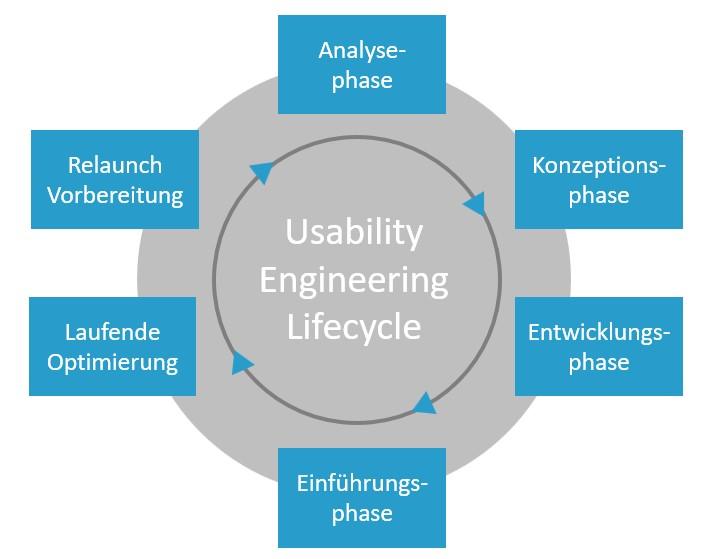
### Navigating the Testing Toolkit Maze
Navigating the testing toolkit maze can often feel overwhelming, especially when faced with a plethora of options promising to streamline your usability testing process. However, choosing the right tools is crucial for obtaining actionable insights. The key is to align your tool choice with specific goals and constraints of your project, rather than following a one-size-fits-all approach.
**Understand Your Testing Needs First**
Before diving into the diverse world of usability testing tools, it’s vital to clearly define what you’re trying to achieve. Are you conducting [remote testing](https://www.uxtweak.com/usability-testing/tools-and-software/), or do you need an in-lab setup? Tools like [UXtweak](https://www.uxtweak.com) are excellent for remote settings, offering features that cater to different stages of digital product development. During a recent project, I integrated UXtweak’s rapid prototyping capabilities to validate design assumptions before committing resources to further development. This preemptive step not only saved time but also provided concrete data that guided design decisions.
**Evaluate Key Features and Usability**
Once a clear objective is established, evaluate potential tools based on their core features. Considerations might include ease of use, scalability, integration capabilities with other tools you’re employing, as well as user community support. Platforms equipped with intuitive interfaces save valuable time spent on training your team members. Moreover, robust integration options ensure seamless data flow across different platforms, which can greatly enhance test efficiency.
For instance, if qualitative insights are paramount for your study, look for tools offering comprehensive audio and video recording features alongside real-time note-taking functionalities. These features were invaluable in my previous experiences where live user feedback directly fed into iterative design enhancements.
**Cost-Effectiveness and Flexibility**
factor in the cost against potential gains. While some tools come with hefty price tags due to advanced functionalities, there are budget-friendly alternatives which offer free trials or basic versions that might suffice for smaller projects. It’s essential to balance functionality with cost efficiency — ensuring you don’t overspend on unnecessary features yet obtain necessary capabilities.
Also consider future needs; select platforms that can scale as your projects grow more complex. This foresight will prevent you from being locked into rigid systems that can stifle innovation later down the line. As Albert Einstein wisely noted, “Out of clutter, find simplicity.” By strategically selecting usability testing tools tailored to specific contexts and objectives — the maze becomes much less daunting and far more navigable.
Recruiting Participants: Strategies for Finding Your Perfect Test Group
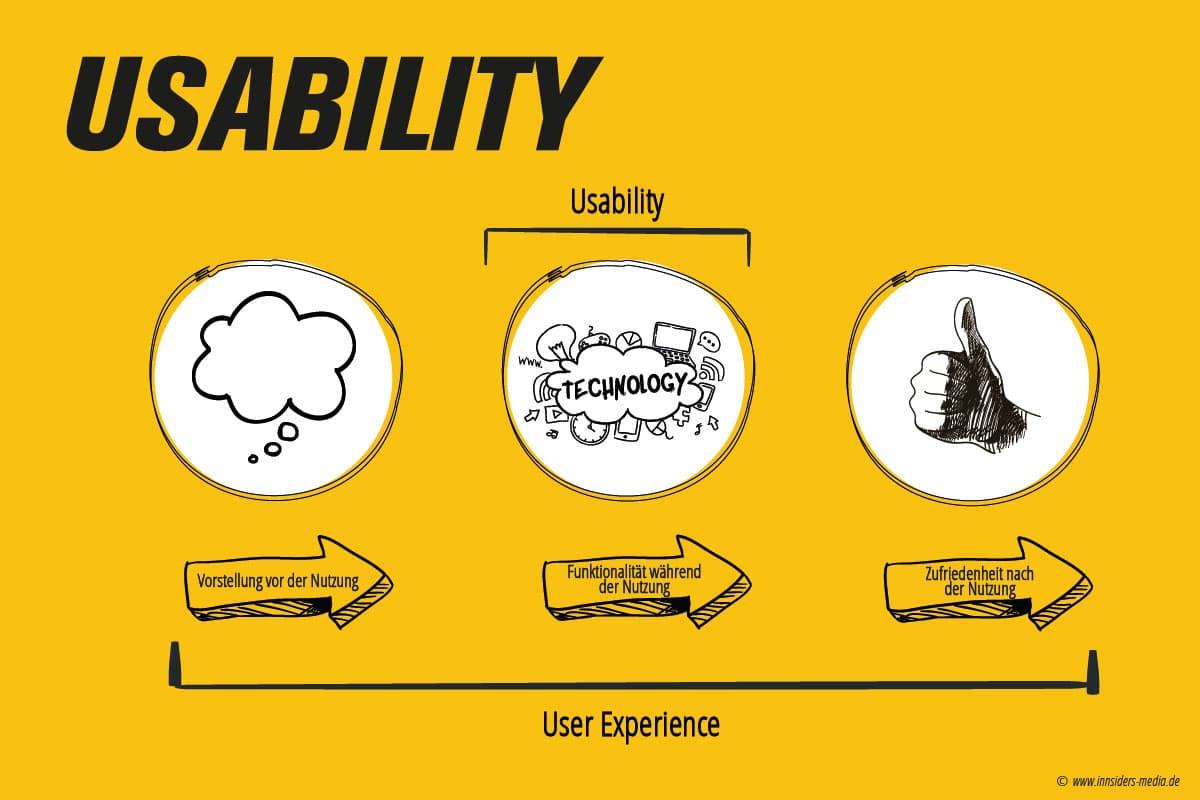
Finding the right participants is undoubtedly one of the most challenging and yet critical aspects of usability testing. Without a doubt, your test results hinge on selecting the perfect group. With that in mind, let us delve into methods to recruit your ideal participants efficiently.
Utilize Your Existing Networks
Start with what’s readily available: your network. Engaging colleagues, customers, and industry contacts can provide you with quality users who are already somewhat familiar with your product or service. Remarkably, these individuals can offer insights that external users might miss. However, ensure this group is diverse enough to uncover a range of usability issues. In my own projects, using existing networks has dramatically reduced recruitment time while still yielding exceptionally valuable feedback.
Leverage social media platforms like LinkedIn or Facebook by posting calls for participation in relevant groups or forums. It’s an effective way not only to reach potential testers but also to engage more personally with them. **[Hotjar’s survey templates](https://www.hotjar.com/survey-templates/recruit-participants-for-user-testing/)** make directing interested individuals to your surveys seamless, streamlining the signup process for both parties.
Online User Panels and Marketplaces
For a broader reach, consider enlisting the help of user panels or online marketplaces dedicated to user testing recruitment. Platforms such as **[UserTesting](https://www.usertesting.com/)** allow you access to a ready-made pool of participants fitting specific demographics and behavioral criteria. Nonetheless, it’s crucial to evaluate the demographic overlap between these panels and your actual user base to avoid skewed results.
Remember that cost can be a factor in user panel recruitment; according to **[Nielsen Norman Group](https://www.nngroup.com/articles/recruiting-test-participants-for-usability-studies/)**, the average cost per participant can be around $171, though this number varies significantly depending on the test type and region. Therefore, budget accordingly and weigh this against the depth of insight you expect from various types of participants.
Building these strategies into your recruitment process will not only create richer usability testing scenarios but also empower your team with actionable insights tailored precisely to your product’s needs. When I recently organized a series of usability tests for a mobile application interface, integrating user panels decreased our setup times while consistently yielding high-quality data across our target populations.
Employ these strategies with care and precision – you’re not just gathering data; you’re crafting experiences that resonate!
Conducting the Test: Techniques for Facilitating Authentic User Feedback

##
### Step-by-Step Facilitation
Facilitating authentic user feedback during usability testing is both an art and a science. To gain genuine insights, it’s crucial to create an environment where participants feel comfortable sharing candidly. One way to achieve this is by developing a [dialogue-driven approach](https://www.nngroup.com/articles/qual-usability-testing-study-guide/) during sessions. This involves asking open-ended questions that encourage users to think aloud as they navigate tasks. Questions like “What do you expect to happen when you click here?” can help uncover user thought processes, leading to more valuable feedback.
Additionally, it’s important to actively listen and observe without interrupting the flow of user interaction unless absolutely necessary. When I applied these techniques in one of our projects, I noticed how much more intuitive and self-reflective the feedback became. Users openly discussed obstacles, allowing us to pinpoint areas for improvement and ensure the design met their needs.
### Creating a Stress-Free Environment
The setting of your test can greatly influence the quality of feedback received. An informal, stress-free atmosphere is key to reducing participant anxiety, which in turn encourages more honest responses. Consider these steps:
– **Warm-Up Conversations:** Before diving into tasks, engage participants with light-hearted conversation about their background or interests related to the product. This warms them up for deeper engagement during testing.
– **Home-Like Setting:** If feasible, replicate a home-like environment or allow remote participation from theirs as this will often yield more natural behavior equivalent to real-life settings.
Using such methods helps bridge the gap between artificial test conditions and real-world use cases. In previous projects, I found that providing a sense of familiarity and relaxation significantly increased the authenticity of user interaction.
### Real User Data Utilization
Employing real user data during the testing phase is another effective strategy highlighted in usability studies. It gives participants a framework that aligns closely with their usual habits or tasks, making their interactions more genuine. Using relevant data sets not only promotes realistic scenario planning but also helps testers understand actual workflows.
In my experiences managing usability tests, integrating real elements from user journeys directly impacted the depth of data collected—[NN Group elaborates on such methods](https://www.nngroup.com/articles/usability-testing-101/). For example, rather than working with generic content placeholders, we used data familiar to users, resulting in insightful observations about their expectations and perceptions under conditions similar to live environments.
Analyzing Results: Turning User Data into Actionable Improvements
###
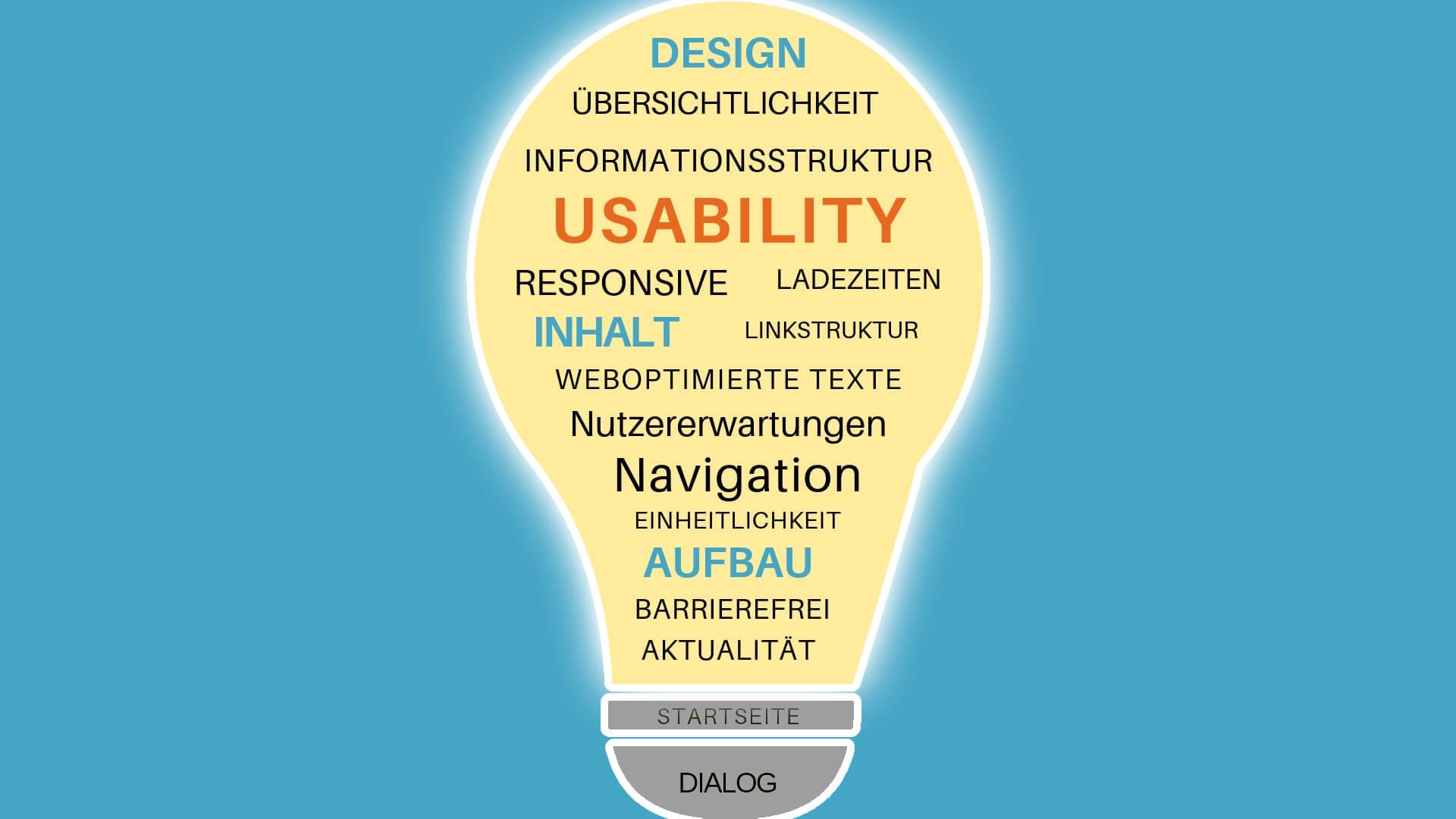
Analyzing user data is a pivotal step in usability testing, transforming raw insights into transformative action. When sifting through your usability test results, it’s crucial to approach this data with an investigative mindset, not only identifying the what but also uncovering the why behind user behavior. One effective method employed in my past projects is characterizing user feedback through affinity diagramming. This technique involves organizing massive amounts of qualitative data into patterns and themes, making it easier to discern actionable insights from chaos. For example, if multiple participants mention difficulty navigating a website’s menu, it could indicate a broader issue with how information is structured.
#### Prioritizing Findings
Once you have grouped your data, prioritize issues based on impact and frequency. Major usability issues that affect a wide array of users should be at the top of your list as they likely have the highest potential for improvement. However, don’t neglect less frequent yet severe problems; these are often red flags for under-the-radar challenges that can significantly degrade user experience over time. To make informed decisions, utilize tools like [Nielsen Norman Group’s](https://www.nngroup.com/articles/how-to-conduct-a-usability-test/) severity ratings or impact-effort matrices for an objective evaluation.
#### Strategic Implementation
Armed with prioritized insights, turn these into strategic improvements by involving stakeholders early and often in the solution-making process. In a past project focused on mobile usability testing, taking this collaborative approach ensured everyone was aligned right from the strategizing phase. Develop clear actions plans detailing not just what needs addressing but also routes to implement them effectively. For instance, if users struggle with completing forms on mobile devices due to non-intuitive design elements, propose specific UI changes backed by [research-driven techniques](https://contentsquare.com/guides/usability-testing/moderated/) such as button size adjustments or streamlined input fields.
It’s important to keep abreast of evolving trends in usability testing and understanding your audience’s unique pain points will lead to tailored improvements that enhance overall user satisfaction—a journey marked by continuous learning and adaptation rather than one-off solutions. As quoted by Jakob Nielsen: “Usability is about people and how they understand and use things, not about technology.” Therefore, channel your analysis into real-world changes that resonate profoundly with users’ expectations and experiences.
By maintaining this analytical yet empathetic approach throughout the testing cycle, you empower your team not only to improve current offerings but also anticipate future usability demands—an invaluable asset in today’s rapidly shifting digital landscape.
Iterative Testing: Embracing Continuous Enhancement through Feedback
Incorporating iterative testing into your usability testing process provides a powerful framework for continuous enhancement. But what exactly does this mean? At its core, iterative testing involves systematically evaluating product modifications through repeated rounds of testing and adjustments. This cyclical approach not only refines the design but also empowers teams to adapt swiftly to user feedback, ensuring the final product is both functional and delightful to its users.
Understanding the Iterative Testing Process
The essence of iterative testing lies in its dedication to [incremental improvement](https://userpilot.com/blog/iterative-testing). Start by identifying the primary goals for your usability test. Perhaps your app’s navigation needs simplifying, or maybe users aren’t engaging with a particular feature as anticipated. By isolating these focus points, each iteration can zoom into specific elements, aiming to address any highlighted issues more effectively.
Step-by-step instructions are crucial in this phase for an organized and actionable strategy:
– **Define** the hypothesis or goal based on previous user feedback.
– **Design** test scenarios that can validate your assumptions, using either qualitative or quantitative methods.
– **Conduct tests** with real users while observing their interactions intimately.
– **Analyze results** comprehensively, identifying patterns in behavior and feedback.
– **Implement changes**, however minor they may seem, based on gathered insights.
For past projects, employing techniques from Nielsen Norman Group articles has helped me identify pivotal improvements during our iterative cycles which we had initially overlooked.
Real-World Examples and Insights
A compelling example of successful iterative testing comes from developing mobile applications designed for medical conditions. In one case documented by ScienceDirect, a [multiple sclerosis fatigue app](https://www.sciencedirect.com/science/article/pii/S2214782921000117) utilized this method extensively. The team engaged in resonance testing consistently until the app resonated effectively with its intended audience—patients requiring accessible management options for their condition.
It’s essential to remember that each test cycle doesn’t signal completion but rather progress. Furthermore, feedback loops create avenues for insightful discussions amongst your team members—transforming critiques into creative refinements. As industry expert Steve Krug once said, “Don’t make me think,” encapsulating the user’s desire for intuitive design, something achievable through persistent iteration and feedback integration.
By embracing iterative testing rigorously in your usability strategy, you’re not just designing products; you’re engaging with users dynamically—crafting experiences that continually advance towards excellence while acknowledging every user’s unique journey through your interface.
To Conclude
As we conclude our journey through the intricate world of usability testing, it’s time to reflect on the transformations these insights can bring to your projects. By adopting a curious mindset and consistently questioning how users interact with your product, you unveil crucial perspectives that drive meaningful innovations.
Throughout this guide, we’ve delved into key strategies and best practices that empower you to forge stronger connections with your audience. From understanding the nuances of user behavior to leveraging cutting-edge tools, each element shapes a robust testing framework. As you continue refining your approaches, remember that usability testing is not a one-time event but an ongoing dialogue with your users.
Stay inquisitive and daring in your pursuits. The unexpected feedback and new patterns you uncover may chart groundbreaking paths for creativity and functionality in design. Usability testing is a lens through which we can view our digital landscapes from fresh angles, sparking transformation and inspiring evolution.
Continue exploring, learning, and embracing user-centric thinking. Each test you conduct is not only an evaluation but an opportunity to amplify the voices of those who matter most—the users who experience the heart of your creation. Your dedication to mastering usability testing ensures that every interaction becomes more intuitive, fulfilling, and ultimately unforgettable. Thank you for embarking on this enlightening journey with us—may it lead to ever greater success and innovation in all your future endeavors.

